
Member Tools
The Church of Jesus Christ of Latter-day SaintsBooks & Reference
4.36.56K Reviews
- Version
- 5.6.0-(108555.3281444)
- Installs
- 1.00M
- Age Rating
- Everyone
Screenshots
Our Review of Member Tools
 Analysis by Appyee
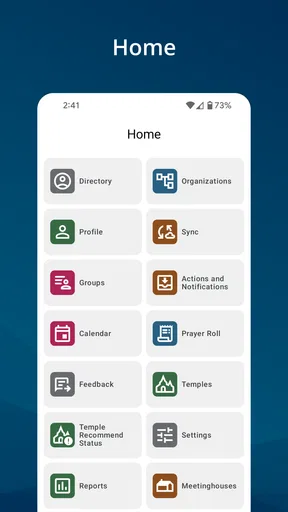
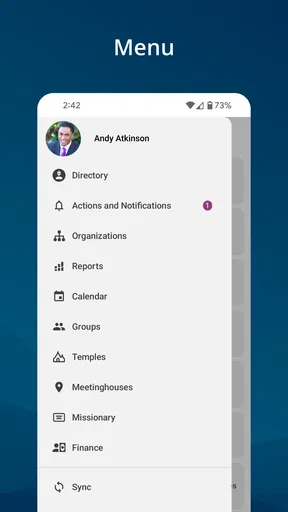
I found Member Tools most useful when I treated it as a practical companion for participating in a local congregation, rather than as a general-purpose religious reading app. Its strongest qualities are simple: it brings member contacts, event information, and locations for meetinghouses and temples into one place. That focus makes everyday tasks quicker, especially when I need to find the right person, check what is happening, or work out where I need to go.
It is a free Books & Reference app from The Church of Jesus Christ of Latter-day Saints, with an Everyone age rating and support for Android 8.0 or later. The current release is version 5.6.0-(108555.3281444), and its long presence on mobile is reflected in a 4.3 average from around 38 thousand ratings. More than a million people have installed it, so it is clearly aimed at regular, practical use rather than occasional browsing.
What Member Tools does well in daily church life
The app’s central idea is convenient access to information that members may otherwise look for in several places. Instead of searching through messages, paper notices, or separate map results, I can use the app to connect with members, check event calendars, and locate meetinghouses or temples. Those tasks sound modest, but they are exactly the sort of small errands that become annoying when information is scattered.
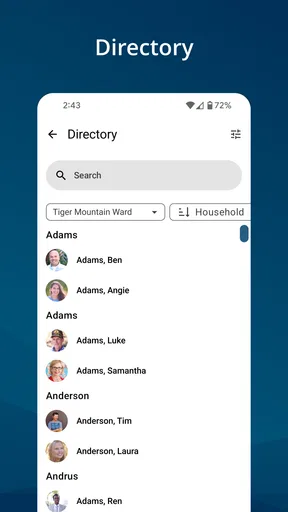
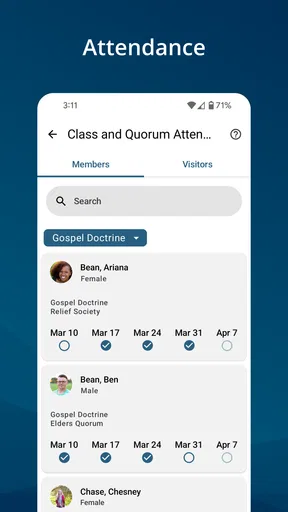
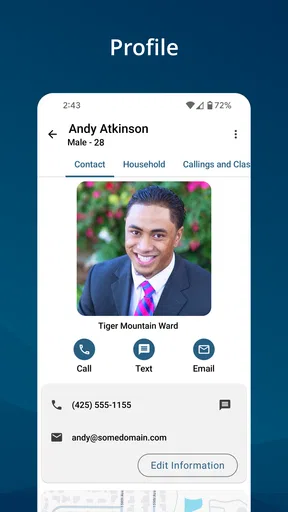
The contact side is especially useful for people who already have responsibilities in a congregation. If I need to reach another member about an activity, a schedule, or a practical task, having a dedicated directory is more appropriate than relying on a general phone contact list. It keeps the context clear: I am looking for people connected with my church community, not simply everyone saved in my phone.
That distinction also makes Member Tools more helpful for newcomers to a local area. A person who has moved, is attending a different meetinghouse, or is trying to become familiar with a congregation may not yet know who to contact. The app gives that process a more direct starting point. I would still expect the usefulness of the directory to depend on the member’s local circumstances, but the basic workflow is much more focused than searching social networks or asking several people for the same information.
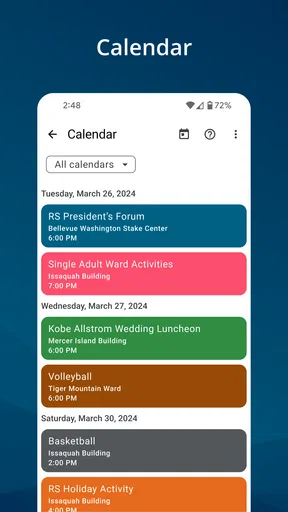
The calendar is another strong reason to keep the app installed. Church activities can be easy to overlook when they arrive through different channels, particularly if a week includes meetings, service activities, or special events. In my experience, a calendar view is most valuable not because it replaces every other reminder, but because it gives me a single place to check before planning the day.
A practical habit is to open the calendar before leaving home, rather than waiting until I am already on the way. That quick check can prevent the familiar mistake of arriving at the usual location for an event that is being held elsewhere. It also helps when several activities are close together and I need to distinguish a regular meeting from a one-off event.
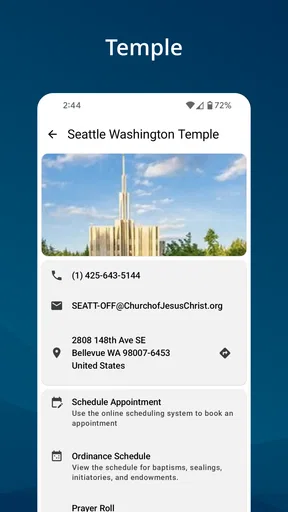
Location tools give the app a useful advantage over a basic directory. Finding a person and finding a building are related tasks, but they are not the same. Member Tools brings both into the same member-oriented experience, which is convenient when I know the event or congregation but do not remember the exact meetinghouse or temple location.
I particularly like this combination for travel within an unfamiliar area. A general map application may be excellent at directions, but it does not understand the church context behind the search. Member Tools gives me the relevant place first, while a standard navigation app may still be the better choice for detailed route planning. That division of labor feels sensible: use Member Tools to identify the destination, then use the navigation tool I already trust for traffic, walking routes, or public transport.
A realistic scenario: checking plans before heading out
Imagine that I am preparing for a busy Saturday. I need to know whether an activity is taking place, confirm whom to contact about a small change, and check whether the location is a meetinghouse or a temple in another part of town. Member Tools fits that sequence naturally. I can review the event information, use the member section to identify the right contact, and open the location details before I leave.
The benefit is not dramatic automation; it is reduced friction. I do not have to remember which conversation contained the details or keep several unrelated notes up to date. For a person who participates regularly, that can make the app feel less like an optional extra and more like a small organizational tool.
There is also a useful distinction between information that I need repeatedly and information I only need once. A one-time address lookup is easy enough in a map app. Repeatedly checking local events or contacting congregation members is where a specialized app earns its place. Member Tools is strongest in that repeated-use pattern.
Useful habits that make the app more effective
My first tip is to use the calendar as a planning checkpoint, not merely as an emergency lookup. Checking it at the start of the week helps me notice commitments before they collide with family plans or travel. This is a more reliable workflow than opening the app only after someone reminds me about an event.
My second tip is to separate “who do I contact?” from “where do I go?” When I need assistance, I first identify the relevant member or local contact, then verify the location independently inside the app. Treating those as two short steps is clearer than assuming the person and the building are automatically connected to the same event.
My third tip is to keep a regular map application available alongside Member Tools. The specialized app is better at church-related discovery, while a general navigation app may offer richer route information. Using both avoids forcing one tool to do a job it was not designed to handle.
A fourth practical point is to think of the app as a reference tool rather than a replacement for personal communication. A calendar can show an event, but it may not answer every question about what to bring, whether plans have changed, or who is coordinating it. I would use Member Tools to establish the basic facts and contact a person when I need clarification.
Where the focused design can feel limited
The same narrow focus that makes Member Tools convenient also limits its appeal. Someone looking for a broad scripture library, devotional reading, note-taking, or a general religious study experience may find it too specialized. Its value comes from member coordination and location reference, not from trying to become an all-in-one spiritual library.
That matters when choosing which app to install. If my main goal is reading religious texts, I would choose a reading-focused application. If I want route planning, I would use a map service. If I want to manage a large personal schedule, I would use a full calendar app. Member Tools makes more sense when the missing piece is access to church community information.
I also would not expect the app to remove every communication problem. A directory can help me find a person, but it does not guarantee that the person is available or that the information I need is already clear. An event calendar can organize dates, but it does not replace announcements or last-minute updates. The app improves access; it does not eliminate the need to stay engaged with the congregation.
Another trade-off is that its usefulness is closely tied to whether I am part of the intended community. For an active member, the features have a clear purpose. For a casual visitor or someone researching the church from outside, the app may offer less immediate value because its best use begins after I need member-centered information regularly.
I would also avoid judging it solely by the standards of large consumer platforms. Member Tools does not need to compete with a social network, a navigation suite, or a sophisticated productivity planner on their own terms. Its success depends on whether it makes a few church-specific tasks easier. When I evaluate it that way, the focused feature set feels deliberate rather than incomplete.
Who should install it, and who should skip it?
I recommend Member Tools to members who attend regularly, help organize activities, or often need to find local contacts and church locations. It is particularly suitable for people who have recently moved, families coordinating several commitments, and anyone who prefers checking official community information in one dedicated place.
It can also be useful for members who do not want to maintain a separate collection of phone numbers and addresses. The app provides a church-centered reference point, which is more practical than trying to reconstruct local information from old messages. For someone who frequently visits temples or meetinghouses in different areas, the location function adds another reason to keep it available.
I would be more cautious about recommending it to someone who only wants reading material. The Books & Reference label might suggest a traditional digital library, but the actual appeal is its member-service role. A person seeking books, study tools, or long-form reading should look for an app built around those activities instead.
Visitors should also consider their expectations. If I am attending once and only need an address, a regular map search may be faster. If I am becoming involved and expect to check events or communicate within a congregation, Member Tools becomes much more relevant. The right choice depends less on technical enthusiasm and more on how often I will use those specific functions.
How it compares with the usual alternatives
Compared with a standard contacts app, Member Tools has a clearer community purpose. A phone address book is excellent for people I personally save, but it is not organized around a congregation or church-related relationships. Member Tools is the better starting point when I know the community connection matters.
Compared with a general calendar, its advantage is context. A normal calendar may show appointments I entered myself, while Member Tools is designed around church events and the places connected with them. I would still use my main calendar for appointments across my whole life, but I would check Member Tools for the church-specific layer.
Compared with a map application, it offers more relevant discovery and less general navigation depth. A map app may be superior once I know the destination and need turn-by-turn guidance. Member Tools is more useful at the earlier stage, when I am trying to identify the appropriate meetinghouse or temple in the first place.
Compared with messaging groups, the app is more structured but potentially less conversational. A group chat can provide quick updates and informal explanations, yet important details can disappear into a busy thread. Member Tools is better for reference tasks; messaging remains better for discussion and rapid clarification.
Practical expectations before installing
The app is free, which makes trying it straightforward for anyone who belongs to the intended audience. Its Everyone rating also makes it suitable for a broad household audience. Android users should note that it requires Android 8.0 or later, so an older device may not be able to run the current version.
The developer is The Church of Jesus Christ of Latter-day Saints, an important point for anyone deciding whether the app is relevant to their own religious community. This is not a neutral directory for every denomination or a general local-events platform. Its identity is part of its usefulness, and also part of its limitation.
The app has been available since December 10, 2010, and the current version indicates that it continues to receive a maintained release rather than being an abandoned utility. I would still keep my expectations practical: updates may improve the experience, but the core reason to install it remains access to members, events, and church locations.
Before relying on it for an important appointment, I would make a quick habit of checking the event details and confirming unusual arrangements with a local contact. That is not a criticism unique to this app; it is simply sensible whenever schedules and locations can change. Member Tools is a convenient reference, while direct confirmation is wiser for anything especially important.
My final recommendation
After using it as a member-focused reference, I see Member Tools as a quietly useful app with a clear job. It is not trying to replace a reading library, a navigation service, a messaging platform, or a complete personal organizer. Instead, it connects the practical pieces of local church participation: people, events, and places.
My recommendation is simple: install it if those three things are part of your regular routine. The free price removes the main barrier, and the focused workflow can save time when information would otherwise be spread across contacts, calendars, messages, and map searches.
I would skip it if I only want religious reading or if I am unlikely to interact with a local congregation. In those cases, a specialized reading app or a general map and calendar combination will probably serve me better. For active members, though, the app’s modest scope is its strength. Member Tools earns its place by making ordinary church-related errands easier, and that is a worthwhile result even without a long list of extras.
Verdict
Strengths of Member Tools
- Quick access to member directories and contact information.
- Helps organize member details in one convenient mobile workspace.
- Useful for checking updates and managing routine member tasks.
- Can improve communication between administrators and members.
- Practical companion for organizations already using its platform.
Limitations of Member Tools
- Most features may require an active organization or membership account.
- The app may feel limited for users outside supported organizations.
- Some tools depend on administrator setup and available permissions.
- Interface usefulness can vary depending on the organization’s configuration.
- Privacy and data access depend on how the organization manages member information.
Other Releases by The Church of Jesus Christ of Latter-day Saints
View All
Gospel Library
Books & Reference4.7

The Book of Mormon
Books & Reference4.6
Similar Picks in This Category
View All
Google Play Books & Audiobooks
Google LLC4.7

네이버 - NAVER
NAVER Corp.3.5

Wattpad - Read & Write Stories
Wattpad.com3.7

King James Bible - Verse+Audio
Ozion4.8

Bible Offline-KJV Holy Bible
Bíblia Offline4.9

Amazon Kindle: Reading App
Amazon Mobile LLC4.8
Frequently Asked Questions
What is Member Tools, and what can I use it for?
Member Tools is an app designed to help members access information and manage activities connected with an organization, club, community, or membership program. Depending on how the service is configured, you may be able to view announcements, check events, update account details, communicate with administrators, access member resources, and review participation information from one place.
Do I need an invitation or an existing membership to use Member Tools?
In most cases, Member Tools is intended for people who already belong to an organization or have been invited by an administrator. You may need a membership ID, registered email address, invitation code, or account credentials before you can complete setup. If registration does not work, contact the organization that provided the app rather than creating multiple accounts.
Is Member Tools free to download and use?
The app may be available to download without an upfront charge, but access to its features depends on the organization using the platform. Some services may require an active membership, subscription, event registration, or other payment handled outside the app. Before downloading, check the listing and your organization’s terms to understand whether any fees apply.
What personal information does Member Tools require?
The information requested can vary according to the organization and features enabled in your account. It may include your name, email address, membership details, contact information, profile data, or event-related records. Review the app’s privacy policy and the organization’s own data practices before registering, especially if the app requests permissions for notifications, contacts, location, camera, or storage.
What should I do if I cannot log in or some features are missing?
First, confirm that you are using the email address or membership credentials associated with your organization, then check your internet connection and install any available update. Some tools only appear when an administrator enables them or when your membership is active. If password recovery does not help, contact your organization’s support team with a description of the problem and your device details.
